How Deno Disarms NPM Supply Chain Attacks

How Deno Disarms NPM Supply Chain Attacks
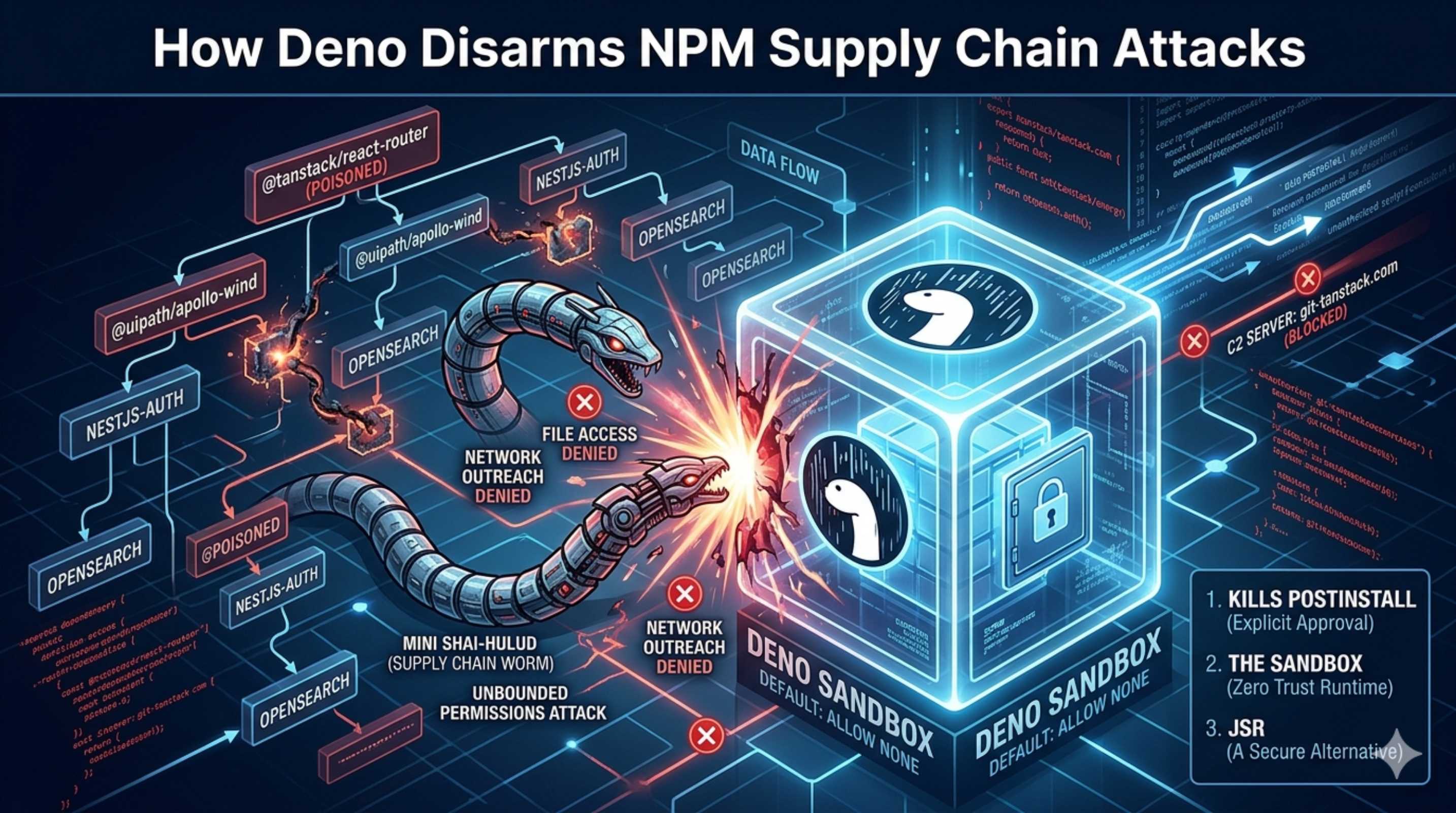
The recent "Mini Shai-Hulud" supply chain attack was a harsh reminder of how fragile our development ecosystems can be. By poisoning GitHub Actions caches, attackers successfully injected self-propagating worms and credential stealers into widely used NPM packages like @tanstack/react-router. Once downloaded, these compromised packages silently exfiltrated CI/CD tokens and could even trigger destructive wipe commands. This massive breach highlighted a glaring flaw in our tooling: Node environments inherently trust the code we download. As I configure the hosting architecture for blog.fswoon.au, prioritizing a secure runtime is non-negotiable. But how exactly does transitioning to Deno protect against a poisoned package? If Deno can now natively run NPM packages using npm: specifiers, aren't we just inheriting the same vulnerabilities?
The short answer is no. Deno fundamentally changes the rules of engagement for JavaScript dependencies. It doesn't just patch NPM's vulnerabilities; it bypasses the architecture that makes them possible.
Here is exactly how Deno solves the package poisoning problem.
1. Killing the postinstall Demon By Default
The vast majority of automated supply chain attacks in the NPM ecosystem rely on "lifecycle scripts" (specifically preinstall and postinstall). When you run npm install, Node blindly executes whatever arbitrary shell commands the package author put in the package.json. This is how worms steal your GitHub tokens and inject malicious CI/CD workflows before you even run your app.
Deno simply refuses to run these scripts by default.
When you use Deno to install or run a project with an NPM dependency that contains a postinstall script, Deno blocks it and issues a warning. If a package legitimately needs its install script to compile a binary (like sqlite3 or esbuild), you have to explicitly opt-in:
# This explicitly allows ONLY the sqlite3 package to run its script
deno install --allow-scripts=npm:sqlite3
Deno even ships with a built-in command, deno approve-scripts, which lets you interactively review and approve pending lifecycle scripts in your dependency tree. You are never caught off guard by a background execution.
2. The Sandbox: Containing the Blast Radius
Let’s assume the worst-case scenario: you bypass the script protections, or the malware isn't in an install script at all. Instead, the malicious payload is hidden inside a common function you actually invoke in your code (like the infamous node-ipc attack).
In Node.js, the moment you require() that malicious module and run it, the malware has implicit authority to do whatever the host OS allows. It can read your ~/.aws/credentials, scan your local ports, or open a socket to a Command and Control (C2) server.
In Deno, code executes in a strictly locked-down sandbox. Even if you accidentally execute a poisoned package, the runtime will stop it the moment it tries to act maliciously.
- Trying to steal
.envfiles? Blocked, unless you explicitly passed--allow-read. - Trying to phone home to a C2 server? Blocked, unless you explicitly passed
--allow-net. - Trying to read CI/CD secrets? Blocked, unless you explicitly passed
--allow-env.
If a package suddenly tries to establish an unexpected outbound connection, Deno will pause execution and throw a prompt in your terminal asking if you want to allow it. You hold the keys.
3. JSR: A Secure Alternative to NPM
While Deno's NPM compatibility layer sandboxes legacy packages, the Deno team has also launched JSR (the JavaScript Registry) to fix the ecosystem's foundational issues.
JSR is designed with modern security in mind from day one. It natively supports token-less publishing via GitHub Actions (meaning maintainer accounts are much harder to compromise), and completely removes support for pre/post-install lifecycle scripts. Over time, as more developers move to JSR, the entire attack vector of background install scripts will become a relic of the past.
The Takeaway
The Node ecosystem operates on implicit trust: you install a package, and you trust it not to ruin your machine. Deno operates on explicit consent.
By neutralizing install scripts by default and wrapping the runtime in a strict permission sandbox, Deno transforms a successful supply chain attack from a silent, automated catastrophe into a loud, blocked error that requires your explicit permission to proceed. For a developer trying to sleep well at night, that shift in architecture changes everything.